Error Code 122
Chances are good that you have read Scott Berkun’s How to learn from your mistakes already, but if you haven’t, you should go there and check it out.

Celebrating the 36th anniversary of man’s first landing on the moon, Google launches Google Moon (and reveals one of the best kept secrets of all times; zoom in to find out).
Vienna - a Newsreader with Smart Groups for OS X
Vienna from Steve Palmer just rocks. It’s s freeware RSS/Atom newsreader for Mac OSX, and it does what a newsreader is supposed to do (read all reasonable formats, import from and export to OPML, search within your subscriptions,…) but it adds a killer feature: Smart Groups for creating customized and rule based views on the entries.
Here is a (non exhaustive) list of some rules Vienna lets you play with:
Read (yes/no)
Flagged (yes/no)
Subject (is/is not/contains/contains not/…)
Folder (is/is not/within a given folder/subfolder)
Date (is/before/after/…)
Author (is/is not/contains/…)
Link (is/is not/contains/…)
Text (is/is not/contains/…)
Smart Folders can be created via File – New Smart Folder – the interfaces resembles the one for creating Smart Playlists in iTunes, no surprises there. The only feature I miss, is an or operator for combining the rules for a Smart Folder, but overall Vienna is just fantastic, and really really fast.
[disclaimer: I’m from Vienna (Austria), so my judgement might be blurred.]
Tag Infected
What a brilliant idea: del.icio.us-style file tagging.
Stephen Hahn has written a perl script tag(1) which lets you associate tags with your files and query them later. The syntax is easy to remember:
$ tag -a <tagname> <filename> - for adding a tag to a file
$ tag -d <tagname> <filename> - for removing a tag from a file
$ tag -q <tagname> - for listing all files associated with a tag
$ tag <filename> - for listing all tags associated with a file
Getting Links Done
Recently, and thanks to GTD / 43 Folders my inbox in Gmail is empty (and yawning in utter boredom). That’s good. But I also use GTD-action contexts as tags for my bookmarks in del.icio.us (@inbox, @toread, @toevaluate, @someday,…), and those are just bursting.
I guess what’s good for emails is also good for bookmarks, so I wrote a Greasemonkey script to support me in my link sweeping efforts. All it does is to highlight posts with certain tags in del.icio.us (like @inbox or @toread, this is configurable) to give a little visual reminder that they require some sort of action or attention (read, install, archive, tag). At the end of the day, all colors should be gone (read and/or labeled ond/or deleted).

update: since delcious is gone, the script is gone to
TiddlyWiki Mania
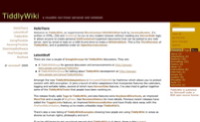
Jeremy Ruston’s absolutely fabulous TiddlyWiki triggered quite a few interventions recently. Here is a list of wikis I stumbled upon that adapt/extend/enhance/build upon it:

ZiddlyWiki [timmorgan.org/ZiddlyWiki/] by Tim Morgan
[ZiddlyWiki] provides server-side storage of the wiki (tiddler) content by combining the power of TiddlyWiki with Zope. ZiddlyWiki is unique from other TW adaptations (I think) since it doesn’t modify any of the TiddlyWiki code; it just overrides specific JavaScript functions to achieve the desired result. All the overridden code is provided in a separate JavaScript file, and the original TiddlyWiki empty.html file is uploaded into Zope unmodified. This makes tracking TW enhancements and bug fixes easier, because ZiddlyWiki is less like a project fork and more like a pluggable backend. Kinda.
Zope is an open source content management framework based on Python, so an average dummy webhost might not support it (mine doesn’t), but if yours does: ZiddlyWiki has a some more cool features:
- OnDemandLoading – Tiddlers are only fetched on demand rather than all-at-once
- TiddlerRevisions – the last 15 revisions of the tiddler can be restored
- ImportExport – ZiddlyWiki can be exported to and imported from a TiddlyWiki file (hybrid online/offline setup)
—
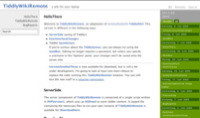
TiddlyWikiRemote by Dan Phiffer
this one adds:
- ServerSide saving of Tiddlers (via RSS)
- SaveHistory – previous revisions of the tiddlers can be restored
—
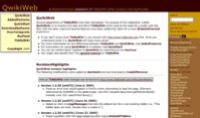
Qwiki Web [personal.psu.edu/staff/a/c/ach12/tiddlywiki/] by AlanHecht
The purpose of this adaptation is to improve the look and feel of TiddlyWiki when used as the basis for a public web site.
this one adds:
- LanguageOverlay – for setting your own text and language for all buttons and messages
- ColorThemes – which make customizing the look QwikiWeb very easy
- UserMode – to set the level of difficulty for the display interface
- EditMode – e.g. to hide the ‘edit’ button from the Wiki
- ExcludeFromSearch – allows you to block specific tiddlers from showing up in the search results
- HidingTiddlers – to hide special tiddlers
—
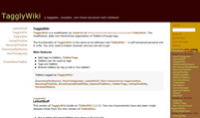

TagglyWiki [informationality.com/tagglywiki/tagglywiki.html] and GTDTagglyWiki [informationality.com/gtdtagglywiki/gtd_tagglywiki.html] by Jody
The modification adds non-hierarchical organisation of Tiddlers through tags.
(tags have been integrated in TiddlyWiki now though)
—

TiddlyTagWiki by Jonny LeRoy
The main functional change from the original TiddlyWiki is the introduction of TiddlyTags – allowing you to categorise your Tiddlers in an ad hoc manner.
I’ve also updated the LookAndFeel and layout to suit my Flickr obsessed taste.
Other small changes include the automatic saving of the current layout to the OptionsCookie rather than using the DefaultTiddlers. Though they are still used if no layout is set in the OptionsCookie.
You can now also select to view the TimeLine filtered to just show Tiddlers that you’ve modified. This has been commented out for now since it isn’t configurable and if you haven’t edited anything then nothing will appear in the timeline. If you UseTheSource then you can put this filter back in ;-)
—

MyWiki by Henrik Aasted Sorensen
This extension contains a server-side component, which allows for easy saving and deletion of entries.
The Wiki is stored in plain text on the server, so no database is reqired.
—
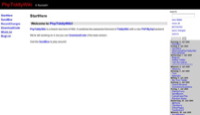
PHPTiddlyWiki [patrickcurry.com/tiddly/] Patrick Curry
PhpTiddlyWiki is a brand new kind of Wiki. It combines the awesome front-end of TiddlyWiki with a new PhP/MySql backend.
—

DirtyWaterWiki [dirtywaterdog.com/wiki.html] Roberto DeFeo
Now you can add check boxes to your tiddlers to allow support for a TodoList. Items can be checked and unchecked directly or by editing the tiddler and making the appropriate changes.
—

YATWA [rumsby.org/wiki/yatwa.html] by Steve Rumsby
this one adds Folding (collapse the body of a tiddler but still display the title) and a JavaScript calendar
—
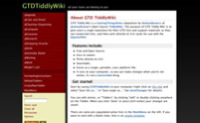
GTDTiddlyWiki [shared.snapgrid.com/gtd_tiddlywiki.html] by Nathan Bowers
this one adds a GTD structure.
—
Mini-TiddlyWiki-hacks:
- GTDTWcal creates code fragments for calendars to add to your tiddlers.
- Blue Mist Style or Zeldman Orange Style – StyleSheet tiddlers for TiddlyWiki 1.2.22
—
UPDATE: 9/18/2005

ServerSideWiki [serversidewiki.com] by Josh Goebel
The ServerSideWiki is a hosted TiddlyWiki service running on Ruby on Rails, so you don’t have to worry about saving your tiddlers anymore. There are various pricing plans available, the free one gives you 10 pages or tiddlers, maybe enough to get you hooked. It also has nicely animated ToDo tiddlers, so it’s a great way to start playing around with TiddlyWikis, especially if you don’t have any webspace of your own.
—
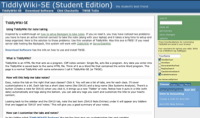
TiddlyWiki-SE (Student Edition) [15black.bluedepot.com/twtests/tiddlywikise.htm] by Clint Checketts
this one adds easy note-taking capabilities for students (there is a tab for classes, and a special tagspace for notes associated with each class.)
Clint has some more good hacks exploring and pushing the limits of the TiddlyWiki, like adding Adsense, or giving them a blog-like look and feel.
—
Comments:
Really great round-up. Thank you.
What (combination) of these are you using?
posted by Paul Irish : 7/11/2005 04:43:14 PM
Be sure to also check out:
http://www.geetduggal.com/PileTiddly/
Its minimalist style is coollll…
though I wish it had the tick boxes of Dirtywater wiki
posted by MaJoHa : 7/11/2005 06:07:27 PM
GTDTiddlyWiki is pretty cool. Inspired by it, I built this GTD web “database” app that also lets you save to your local system and work offline:
http://trimpath.com/demos/nextaction_static1/nextaction.htm
posted by Steve Yen : 7/11/2005 06:29:15 PM
Many thanks Paul. I actually use most of them. It’s actually interesting to see which kind of projects/texts each one supports (the way they implement tags for instance makes quite a difference).
MaJoHa and Steve, thanks a lot for the pointers, minimalism at its best.
posted by saurierduval : 7/12/2005 12:52:17 AM
well i guess that settles that.
http://www.serversidewiki.com/
posted by Paul Irish : 7/19/2005 03:04:41 AM
I wonder now that ServerSideWiki has it’s own distinct style (the cool blue theme) what it would take to get it added to this page along with all the others.
It would have been boring when it looked just like GTDTiddlyWiki… but now it can stand on it’s own merit (style wise).
posted by Josh Goebel : 9/03/2005 07:08:09 AM
Thanks for the links. Well done on sharing your TiddlyWiki knowledge.
As a note, you’ll probably want to point the TiddlyWikiSE link to the actual TWSE.
posted by Clint : 9/28/2005 06:46:40 PM
Thanks, fixed.
posted by saurierduval : 9/28/2005 08:39:35 PM
Also check out my site, MonkeyPirateTiddlyWiki. It has plugins to do tagging in a different way (where any tag is a tiddler and vice versa), plus some other stuff including a style chooser.
posted by simon : 10/06/2005 06:53:35 AM
Wonderful list! I need someone to combine the To-Do List wiki with one of the server-side modifications. ;o)
posted by Darrel : 1/17/2006 04:49:52 PM
Hi,
Thanks for your list…
I’m trying to choose a version to begin my TiddlyWiki…
I wonder if the online version (http://www.serversidewiki.com) could be the good version for me…
In fact, I hope that an online version can evoluate with new fonctions keeping compatibility with my previous versions of TiddlyWiki…
I don’t really understand how I can use plugins in my TiddlyWiki…
posted by Kiaitutoi : 1/20/2006 02:28:49 PM
Good article. Do not forget Asciencepad, my preferred one.
It’s a wysiwyg TiddlyWiki thought for Scientific work (via MathML), but pretty good even for usual work. You do not need to know the markup. It is based on HTMLArea.
If you try it you need only to know one trick: do not use ctrl-V to paste text inside, use Shift-Ins instead.
posted by Riccardo : 3/21/2006 01:55:19 PM
Good summary, very useful.
For my money ZiddlyWiki is the best of these for the following reasons:
No changes to TiddlyWiki front end
Easy to install
Powerful admin capabilities provided by Zope.
We’ve been using ZiddlyWiki as an informal collaborative work area quite successfully for several weeks now.
posted by Andy : 6/01/2006 10:34:43 AM
Emotional State
This really would be interesting, if it wouldn’t be so sad: the Informatics Institute at the University of Amsterdam monitors the moods in recent Livejournal posts:


(via Google Blogoscoped)
Rmail and Gmail, or how to collect the world
Rmail was puzzling me for a while. It’s a free service which allows you to subscribe to RSS feeds and it will email you the latest entries. Now this is cool, but why would anyone want this? If you want to read your feeds offline any Feedreader will do without cluttering your inbox. If you are online anyways Bloglines or Rojo probably do a better job.
But throw in Gmail with its advanced search possibilities into the mix, and what you get is a personalized and searchable repository of your favorite ressources.
Two things are good to know:
(1) Gmail supports the “+” addressing scheme which gives you unlimited unique addresses (yourname+whatever@gmail.com) for a single Gmail account (yourname@gmail.com).
(2) Gmail allows you to create filters based on rules you can define.
So if you subscribe to how to save the world in Rmail using the email address yourname+howtosavetheworld@gmail.com and you define a filter in Gmail labeling it correspondingly and archiving it immediately, you start to collect one of the finest ressources around without further intervention. Subscribe to 50 or 1000 more feeds and wait for a year or two, and you’ll have built a handselected pool of interesting stuff…
—
Comments:
Awesome. Just one point. I have a bug that prevents + in the email address. I’ll go fix it right now.
posted by Randy Charles Morin : 6/30/2005 10:48:36 PM
I must have already fixed it. I can’t reproduce it right now.
posted by Randy Charles Morin : 6/30/2005 10:53:53 PM
self healing software ;)
- I’ve been using it without any problems.
posted by saurierduval : 6/30/2005 11:05:01 PM
I just got the R|mail alert myself using the technique you describe for this blog entry. I’ll have to create a screencast about this new amazing use of R|mail. Personally, I use to think R|mail was crap too ;) And I wrote it.
posted by Randy Charles Morin : 6/30/2005 11:08:21 PM
I find R|mail is slow. http://www.rssfwd.com is much fast (sends you rss feeds within the hour or two that they are published). I have found that R|mail sometimes (most of the times) sends me headlines that are a day late (sometimes mentioning something that happend yesterday as tomorrow… two days late).
posted by Anonymous : 12/18/2005 03:48:30 AM
sim.ilari.us
This posting by Jon Udell inspired me to take a look at which del.icio.us users share a similar bookmarking space with me. It’s quite a few (1 or more: 35000, 10 or more: 6300, 50 or more: 290).
Here’s a list of deliciens who point to their blogs who have 75 or more bookmarks in common with me:
43 Folders
actual size
Angus Fraser
Ashub
Bibi’s Box
Deflexion
Feaverish
geekchix
hexod.us
Kemayo
Korean Jurist
Kevin Wen
l’objectif
Lisa McMillan
marc’s non-blog…
Mercurial
Meta
Neuromancer in Savannah
Peter Cooper
Seyd
Stu’s Weblog
TalkAbout
the institute of hybernautics
Tournez les boutons
Triple Entendre
How a wiki makes me fat
Over the last couple of days I find myself preparing (and eating) peanut butter sandwiches all the time. OK, that’s not really newsworthy, but usually I never ever buy peanut butter. Yet a few days ago I subcounsciously headed for the peanut butter in the supermarket, and I’m hooked ever since. I didn’t give this sudden addiction any second thought, even if my regular diet is basically a rotation within a kind of limited subset of dishes I cook or junk-food I like or cafes I visit – tastes do change over time and sometimes I add something to my food portfolio or kick something out.
Then I stumbled upon a treemap of the most popular links in del.icio.us and spotted the Peanut Butter Wiki at the bottom of the map:

I use this (free and really easy to set up and use) wiki for about three weeks now, but after registration you are never confronted with the term peanut butter any more (it’s pbwiki then), so I missed this obvious trigger for my peanut gusto. But there is this little icon at the top of each page, staring at you all the time:

I wonder if this subliminal manipulation would work too, if the wiki would be called garbage soup wiki?